
我的家用 Kubernetes 叢集以 Vault 保存 secret 值,External Secrets Operator(ESO)負責讀取並建立一般的 Kubernetes Secrets,Deployment 再照常引用。Git 保存 manifests 與來源對應關係,不保存明文值。
Vault KV v2 → ClusterSecretStore → ExternalSecret → Kubernetes Secret → Pod
這樣重建叢集時,就不必逐一手動複製 Secrets。以下以 example-api、example-worker 與內部使用的 example-admin 示範。
由 Argo CD 安裝 External Secrets Operator
我的 GitOps repository 透過 Helm chart 安裝 ESO:
apiVersion: argoproj.io/v1alpha1
kind: Application
metadata:
  name: external-secrets
  namespace: argocd
  annotations:
    argocd.argoproj.io/sync-wave: "-10"
spec:
  project: default
  source:
    repoURL: https://charts.external-secrets.io
    chart: external-secrets
    targetRevision: 2.5.0
    helm:
      releaseName: external-secrets
      valuesObject:
        installCRDs: true
  destination:
    server: https://kubernetes.default.svc
    namespace: external-secrets
  syncPolicy:
    automated:
      prune: true
      selfHeal: true
    syncOptions:
      - CreateNamespace=true
      - ServerSideApply=true
ESO 與 CRDs 要先於 ClusterSecretStore、ExternalSecret 建立。Sync wave 表達這項順序,套用依賴資源前仍要確認 controller 就緒。
將設定檔存入 Vault KV v2
Vault 的 KV v2 mount 名為 secret。
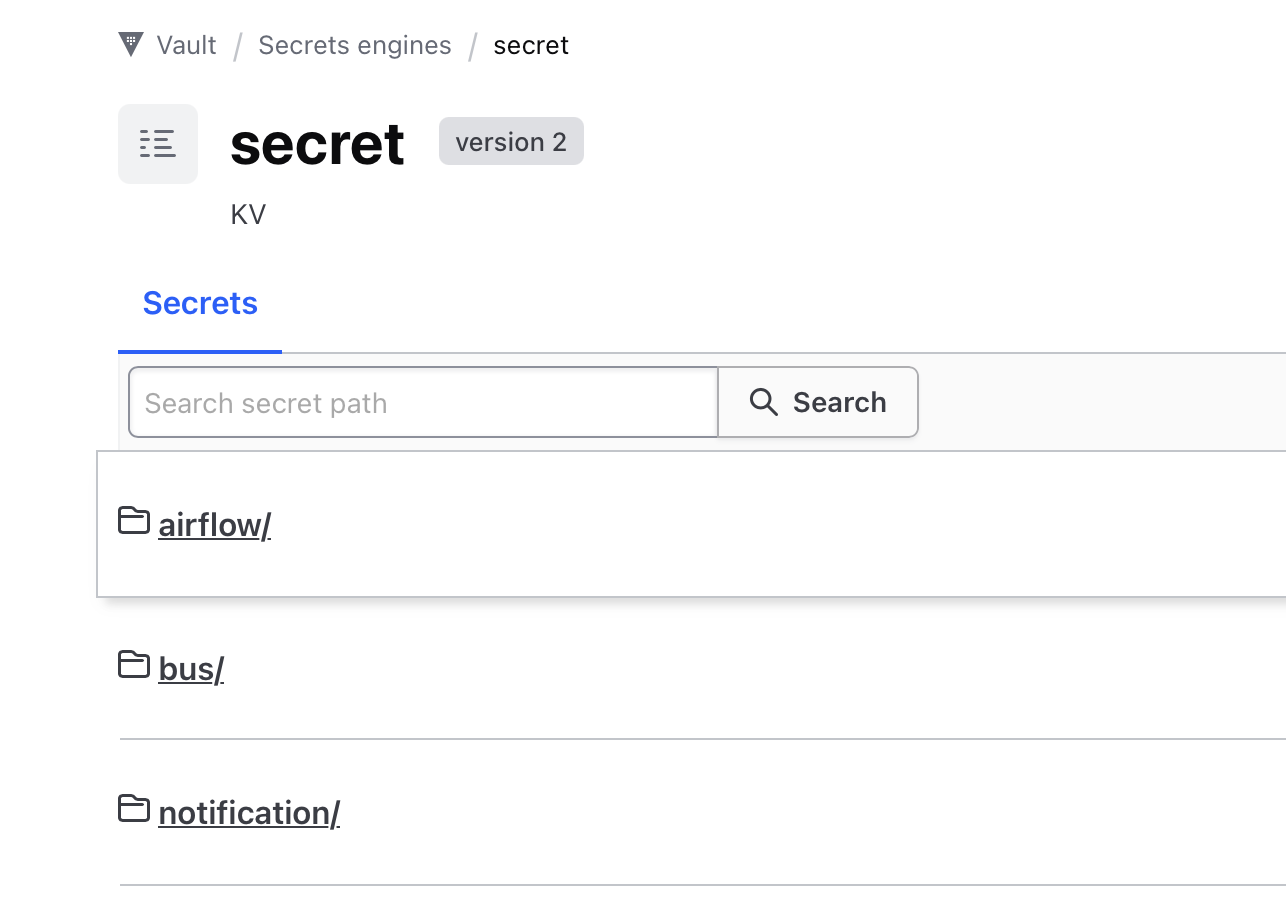
三個應用程式分別保存 dotenv、JSON 與 YAML 設定:
vault kv put secret/example-api/env-file dotenv=@.env
vault kv put secret/example-worker/config-file config.json=@config.json
vault kv put secret/example-admin/config-file config=@config.yml
API 的對應關係是 Vault path secret/example-api/env-file、property dotenv,產生 Kubernetes Secret example-api-env-file 裡的 .env key。Path 與 property 都必須和後面的 ExternalSecret 一致。
建立 Vault Kubernetes auth
ESO 使用 external-secrets namespace 裡同名的 ServiceAccount 向 Vault 驗證。Vault 則需要 Kubernetes API 的 TokenReview 能力,查驗送來的 JWT。
為 reviewer 建立專用 ServiceAccount,並綁定 system:auth-delegator。這個角色允許委派驗證與授權查詢,包含 TokenReview:
kubectl create namespace vault-auth --dry-run=client -o yaml | kubectl apply -f -
kubectl -n vault-auth create serviceaccount vault-auth
kubectl create clusterrolebinding vault-auth-tokenreview \
  --clusterrole=system:auth-delegator \
  --serviceaccount=vault-auth:vault-auth
將以下內容存成 vault-auth-token.yaml:
apiVersion: v1
kind: Secret
metadata:
  name: vault-auth-token
  namespace: vault-auth
  annotations:
    kubernetes.io/service-account.name: vault-auth
type: kubernetes.io/service-account-token
建立 Secret 後,先等待 token controller 填入資料;若等待失敗,先停止後續步驟。確認 kubeconfig context 指向目標 cluster,再取得 reviewer JWT 與 CA;--flatten 也會納入以檔案路徑引用的 CA:
kubectl apply -f vault-auth-token.yaml
kubectl -n vault-auth wait --for=jsonpath='{.data.token}' secret/vault-auth-token --timeout=60s
TOKEN_REVIEWER_JWT=$(kubectl -n vault-auth get secret vault-auth-token -o jsonpath='{.data.token}' | base64 -d)
kubectl config view --raw --minify --flatten -o jsonpath='{.clusters[0].cluster.certificate-authority-data}' | base64 -d > ca.crt
由有權管理 Vault 的身分設定 Kubernetes auth:
export VAULT_ADDR=https://vault.example.internal:8200
vault login

vault auth enable kubernetes

vault write auth/kubernetes/config \
  kubernetes_host="https://rke-api.example.internal:6443" \
  kubernetes_ca_cert=@ca.crt \
  token_reviewer_jwt="$TOKEN_REVIEWER_JWT"
如果 auth mount 已存在,保留它,只更新 auth/kubernetes/config 的 API server、CA 與 reviewer JWT。
Vault 1.9 起,新建 Kubernetes auth mount 預設使用 disable_iss_validation=true,由 Kubernetes 在 TokenReview 時驗證 issuer。舊 mount 可能保留 Vault 端的 issuer 驗證;遇到 mismatch 時應先檢查現有設定,不能把「沒有寫這個選項」解讀成已啟用 Vault 端驗證。這也與 TLS 憑證驗證是不同的事。參考 Vault Kubernetes auth 文件。
Reviewer token 不進 Git;叢集或 Vault auth 配置重建時,也需要處理其輪替。
限制可讀取的 KV 路徑
每個應用程式使用自己的 policy 與 role。API 的設定如下:
vault policy write example-api - <<'EOF'
path "secret/data/example-api/*" {
  capabilities = ["read"]
}
EOF

vault write auth/kubernetes/role/external-secrets-example-api \
  bound_service_account_names=external-secrets \
  bound_service_account_namespaces=external-secrets \
  audience=https://kubernetes.default.svc.cluster.local \
  policies=example-api \
  ttl=1h
Worker 與 admin 使用各自的路徑:
vault policy write example-worker - <<'EOF'
path "secret/data/example-worker/*" {
  capabilities = ["read"]
}
EOF

vault write auth/kubernetes/role/external-secrets-example-worker \
  bound_service_account_names=external-secrets \
  bound_service_account_namespaces=external-secrets \
  audience=https://kubernetes.default.svc.cluster.local \
  policies=example-worker \
  ttl=1h
vault policy write example-admin - <<'EOF'
path "secret/data/example-admin/*" {
  capabilities = ["read"]
}
EOF

vault write auth/kubernetes/role/external-secrets-example-admin \
  bound_service_account_names=external-secrets \
  bound_service_account_namespaces=external-secrets \
  audience=https://kubernetes.default.svc.cluster.local \
  policies=example-admin \
  ttl=1h
Policy 使用 KV v2 的 API path secret/data/...;ExternalSecret 的 remote key 則相對於 mount,不含 secret/data/。
Role 的 audience 要符合 ESO 要求的 JWT。下方 Store 的 serviceAccountRef.audiences 明確使用相同值,部署時仍須核對 cluster 設定。參考 ESO Kubernetes authentication。
讓 ClusterSecretStore 信任 Vault
先將簽發 Vault server certificate 的公開 CA 憑證存入 ConfigMap:
kubectl -n external-secrets create configmap vault-ca \
  --from-file=ca.crt=./vault-ca.crt \
  --dry-run=client -o yaml | kubectl apply -f -
Store 宣告 Vault URL、KV mount、auth role 與 CA 來源:
apiVersion: external-secrets.io/v1
kind: ClusterSecretStore
metadata:
  name: vault-example-api
spec:
  provider:
    vault:
      server: "https://vault.example.internal:8200"
      path: "secret"
      version: "v2"
      caProvider:
        type: ConfigMap
        name: vault-ca
        namespace: external-secrets
        key: ca.crt
      auth:
        kubernetes:
          mountPath: kubernetes
          role: external-secrets-example-api
          serviceAccountRef:
            name: external-secrets
            namespace: external-secrets
            audiences:
              - https://kubernetes.default.svc.cluster.local
Kubernetes auth token 與 secret 值會經過這條連線,因此 Vault 使用 HTTPS,Store 以 caProvider 或 caBundle 驗證憑證。若 URL 使用 vault.example.internal,server certificate 的 SAN 必須包含該名稱;直接使用 IP 時則需要對應的 IP SAN。
這裡有兩種 CA:Vault auth 設定中的 cluster CA 用於連線 Kubernetes API;Store 的 Vault CA 用於連線 Vault。兩者不能混用。
建立 ExternalSecret
Store 就緒後,在應用程式 namespace 建立:
apiVersion: external-secrets.io/v1
kind: ExternalSecret
metadata:
  name: example-api-env-file
  namespace: example-api
spec:
  refreshInterval: 2m
  secretStoreRef:
    name: vault-example-api
    kind: ClusterSecretStore
  target:
    name: example-api-env-file
    creationPolicy: Owner
  data:
    - secretKey: .env
      remoteRef:
        key: example-api/env-file
        property: dotenv
ESO 依照 refreshInterval: 2m 定期讀取 secret/example-api/env-file 的 dotenv property,將內容放進 example-api-env-file Secret 的 .env key。Deployment 再掛載或以應用程式支援的方式讀取它。
驗證 controller、Store 與 Secret
先檢查 ESO 和 CRDs:
kubectl -n external-secrets get pods
kubectl get crd | grep external-secrets
再看 Store 與產生的 Secret:
kubectl get clustersecretstore
kubectl describe clustersecretstore vault-example-api
kubectl -n example-api get secret example-api-env-file
Worker 與 admin 也要先依各自的 role、path 與 property 建立對應 Store 和 ExternalSecret,再檢查產生的 Secrets:
kubectl -n example-worker get secret example-worker-config-file
kubectl -n example-admin get secret example-admin-config-file
同時確認 ExternalSecret 的 Ready 狀態,以及 workload 是否已讀到預期設定。Store 不健康時,查看 ESO logs:
kubectl -n external-secrets logs deploy/external-secrets --tail=120
常見原因包括 Vault auth 指向舊 API server、cluster CA 錯誤、reviewer JWT 過期或來自其他 cluster、role 綁錯 ServiceAccount/namespace、KV v2 policy path 少了 data/,或 Vault 中沒有預期的 property。
何時改用 SOPS
這套配置以 Vault 為 source of truth,ESO 同步 runtime 值,Git 只保存引用。若希望 Git 裡的加密檔成為 source of truth,或需要不依賴 Vault 的離線 bootstrap,才考慮 SOPS。對目前的流程而言,另外加入 SOPS 也代表多一套需要管理的金鑰與交付方式。