
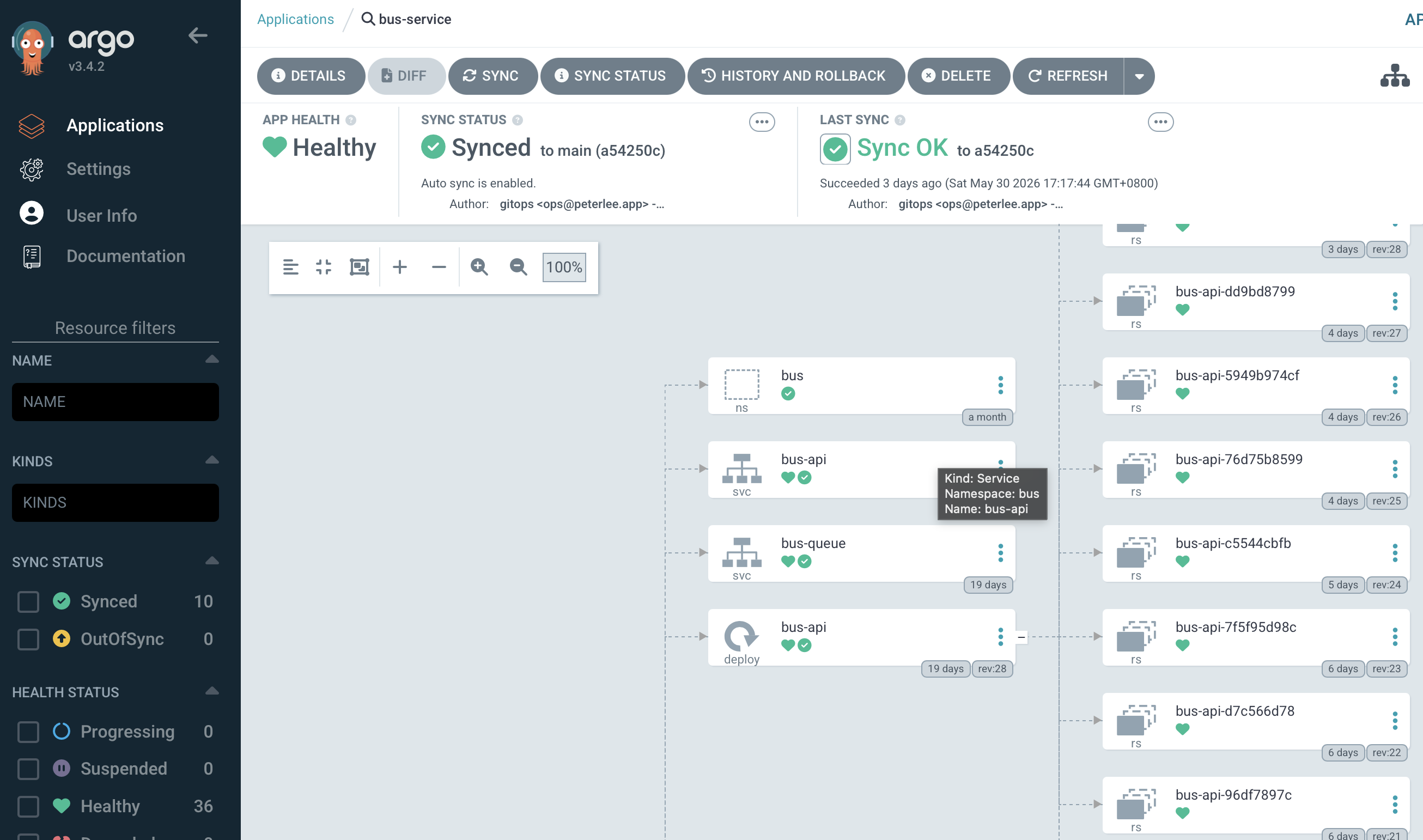
我用 Argo CD 讓家用 Kubernetes 叢集持續和 Git 裡的設定一致。叢集規模還小時,手動執行 kubectl apply 並不難;加入 application workloads、Redis、Longhorn、Istio、monitoring 與 ingress 後,真正麻煩的是重建時要記得每個元件的來源、順序與前置條件。
現在由 Argo CD 同步 Git 裡的 manifests,Vault 保存 secret 值。新的 RKE 叢集仍須先完成下面的 bootstrap 步驟,才能讀取 repository 並取得這些值。
以下範例使用假環境:
- Git repository:
ssh://[email protected]/platform/k8s-infra.git - Kubernetes API:
https://rke-api.example.internal:6443 - Vault:
https://vault.example.internal:8200 - Applications:
example-api、example-worker、example-admin
Root Application 是人工操作與 GitOps 的交界
Repository 大致分成三層:
clusters/root-app.yaml
clusters/apps/
apps/
infra/
clusters/root-app.yaml 是我唯一手動套用的 Application。它指向 clusters/apps,再由這個目錄建立真正管理 controllers、shared infrastructure 與 workloads 的 child Applications。
apiVersion: argoproj.io/v1alpha1
kind: Application
metadata:
  name: k8s-infra-root
  namespace: argocd
spec:
  project: default
  source:
    repoURL: ssh://[email protected]/platform/k8s-infra.git
    targetRevision: main
    path: clusters/apps
  destination:
    server: https://kubernetes.default.svc
    namespace: argocd
  syncPolicy:
    automated:
      prune: true
      selfHeal: true
    syncOptions:
      - CreateNamespace=true
這是 app-of-apps pattern:root Application 不直接包含所有 manifests,而是管理一組 Applications,再由各個 child Application 管理實際資源。Root path 如果指錯,即使 repository credential 正確,Argo CD 也只會在錯誤的目錄裡尋找設定。
Argo CD 本身仍要先安裝
全新的叢集還沒有 Argo CD,因此第一次安裝不可能交給 Argo CD 自己完成。我把 bootstrap kustomization 放在同一個 repository,並固定在審查過的 release;重建時不直接下載會移動的 stable manifest。
kubectl kustomize bootstrap/argocd
kubectl apply --server-side --force-conflicts -k bootstrap/argocd
第一個指令先 render 出即將套用的內容,讓我確認 namespace、版本與 patches。第二個指令才安裝 pinned release,同時建立 argocd namespace、server 需要的設定,以及私有 Git server 的 public SSH host keys。
升級 Argo CD 時,應先修改 kustomization 裡固定的版本,重新 render,閱讀該版本的 upgrade notes,再使用相同的 apply 流程。固定版本能避免新叢集和既有叢集因為執行時間不同而取得不同版本。
Git host trust 與 repository credential 是兩件事
Argo CD 讀取 private repository 前,要先解決兩個不同的信任問題:
argocd-ssh-known-hosts-cm保存經過核對的 Git server public host keys。- Repository
Secret保存讓 Argo CD 登入 Git 的 private deploy key。
Public host keys 可以放進 bootstrap manifests,但要先從可信任管道核對 fingerprint。ssh-keyscan 只會回傳網路上目前提供的 key,本身不能證明那就是預期的 server。
Private deploy key 不進 Git。我在叢集上建立 repository Secret:
kubectl -n argocd create secret generic k8s-infra-repo \
  --from-literal=type=git \
  --from-literal=url=ssh://[email protected]/platform/k8s-infra.git \
  --from-file=sshPrivateKey=/home/user/.ssh/k8s_infra \
  --dry-run=client -o yaml | kubectl apply -f -

kubectl -n argocd label secret k8s-infra-repo \
  argocd.argoproj.io/secret-type=repository --overwrite
Host key 驗證失敗和 deploy key 沒有權限,表面上都可能顯示 repository 無法連線,但修法不同。前者要核對 server identity;後者才是檢查 repository URL、key 與 server 端授權。
Argo CD 能讀取 Git 後,才套用 root Application:
kubectl apply -f clusters/root-app.yaml
第一次接管既有資源時,我會先檢查 diff,再決定何時啟用 automated sync、prune 和 selfHeal。prune 會刪除 Git 已移除、但仍受 Application 管理的資源,不適合在 ownership 尚未釐清時直接打開。
Sync waves 表達依賴順序
Kubernetes resources 並非全都能同時套用。CRD 要先於 custom resource,controller 要先於它管理的物件,使用 Secret 的 workload 也要等 secret delivery 路徑成立。
目前 repository 的主要 waves 如下:
- wave
-60:Gateway API CRDs。 - wave
-50:Istio base CRDs 與 cluster roles。 - wave
-40:Istio control plane。 - wave
-30:Istio CNI 與 External Secrets Operator。 - wave
-10:Istio ambient ztunnel 與 Reloader。 - wave
0:Redis 與 Longhorn。 - wave
10:Airflow ExternalSecrets。 - wave
20:Airflow 與 monitoring。 - wave
30:Alloy、Istio PodMonitors、Kiali 與 shared Istio ingress。 - wave
40:application workloads。 - wave
50:其餘 platform support 與 access resources。
Application 透過 annotation 指定 wave:
apiVersion: argoproj.io/v1alpha1
kind: Application
metadata:
  name: example-api
  namespace: argocd
  annotations:
    argocd.argoproj.io/sync-wave: "40"
spec:
  project: default
  source:
    repoURL: ssh://[email protected]/platform/k8s-infra.git
    targetRevision: main
    path: apps/example-api
  destination:
    server: https://kubernetes.default.svc
    namespace: example-api
  syncPolicy:
    automated:
      prune: true
      selfHeal: true
    syncOptions:
      - CreateNamespace=true
Argo CD sync-wave 文件說明了 phase、wave、resource kind 與名稱如何共同決定套用順序,也說明 health 如何影響下一個 wave。
不過,在 app-of-apps 結構裡,parent 必須能正確評估 child Application 的 health,這些 wave 才能成為真正的 health gate。不能只看到 wave 數字不同,就推論上一個 Application 產生的所有物件都已 ready。
Argo CD resource-health 文件也指出,Application CRD 內建的 health assessment 已被移除。若 app-of-apps 流程真的依賴 child health 決定下一個 wave,就需要明確加入 health customization,不能把 parent 顯示的同步狀態當成衍生資源全部就緒的證據。
例如 ExternalSecret 可以先被套用,但 target Kubernetes Secret 還在 controller 的 reconcile 過程中。下一個 workload 可能先失敗一次再恢復,也可能需要額外的 health check,讓 Argo CD 在 Secret 確實建立後才繼續。Sync wave 表達的是預期順序,不會自動替跨 controller 的依賴建立 readiness guarantee。
Git 管理期望狀態,bootstrap 建立初始信任
Argo CD 目前管理的 child Applications 可以分成四組:
- Platform CRDs 與 controllers:Gateway API、Istio、External Secrets、Reloader。
- Stateful 與 observability services:Redis、Longhorn、monitoring、Alloy。
- Applications:Airflow 與其他 application workloads。
- Shared support resources:ingress、RBAC、secret mappings、remote-access connectors。
Git 能重建大多數 Kubernetes resources,但仍有一小段人工 bootstrap 範圍:
- 建立 RKE cluster。
- 安裝 pinned Argo CD bootstrap。
- 提供 private repository deploy key。
- 設定 Vault Kubernetes auth、policies 與 roles。
- 確認應用程式需要的 secret values 已存在 Vault。
這些步驟的共同點是「先建立讓 GitOps 能運作的信任」。若把 deploy key 或 Vault token 提交到 repository,只是為了讓 bootstrap 看似全自動,反而破壞了原本的安全邊界。
第一次同步要逐層驗證
我先看 child Applications 是否建立,以及哪一個最早的 wave 尚未健康:
kubectl -n argocd get applications.argoproj.io
接著依照依賴關係檢查 controllers,而不是直接從最後一個 application log 開始:
kubectl get crd
kubectl -n external-secrets get pods
kubectl get clustersecretstores.external-secrets.io
kubectl -n istio-system get pods
kubectl -n longhorn-system get pods
kubectl -n monitoring get pods
使用 External Secrets 的 application 還要確認 secret delivery:
kubectl -n example-api get externalsecret
kubectl -n example-api get secret example-api-env-file
kubectl -n example-api get pods
ExternalSecret 已存在不等於目標 Secret 已建立;Secret 已建立也不等於 Pod 已成功讀入新值。三層狀態要分開看。
對外服務最後再從真正的 client path 測試:
curl https://api.example.com/health
只在 cluster 內 curl Service 能證明 application path 的一部分,不能證明 DNS、公開入口、TLS 或外部 access policy 都正確。
常見失敗如何縮小範圍
Argo CD 無法 clone repository 時,先區分 host key trust、repository URL 和 deploy key permission:
kubectl -n argocd get configmap argocd-ssh-known-hosts-cm
kubectl -n argocd get secret k8s-infra-repo
Child Applications 存在但後段全部不健康時,我先檢查最早失敗的 wave。缺少 CRD、controller 尚未 ready,或 parent 無法判斷 child health,都可能讓後續資源看起來一起故障。
Application 等不到設定值時,先查 External Secrets 與 Vault role/policy,再看 application logs。這能避免因為 workload 報「缺少設定」就直接修改 Deployment,實際問題卻在 secret delivery 的前一段。