
In my home Kubernetes cluster, I use Vault and External Secrets Operator to
deliver secrets without storing their plaintext values in Git.
The main idea is:
Vault KV v2 -> ClusterSecretStore -> ExternalSecret -> Kubernetes Secret -> Pod
The examples use three applications:
example-api: public API atapi.example.comexample-worker: public worker UI atworker.example.comexample-admin: internal admin app, no public route
Kubernetes Secrets remain the runtime format. Vault provides the values needed to recreate them after a cluster rebuild, so I do not have to copy base64 data into manifests by hand.
Install External Secrets Operator
In my GitOps repo, External Secrets Operator is installed by Argo CD from the Helm chart.
apiVersion: argoproj.io/v1alpha1
kind: Application
metadata:
  name: external-secrets
  namespace: argocd
  annotations:
    argocd.argoproj.io/sync-wave: "-10"
spec:
  project: default
  source:
    repoURL: https://charts.external-secrets.io
    chart: external-secrets
    targetRevision: 2.5.0
    helm:
      releaseName: external-secrets
      valuesObject:
        installCRDs: true
  destination:
    server: https://kubernetes.default.svc
    namespace: external-secrets
  syncPolicy:
    automated:
      prune: true
      selfHeal: true
    syncOptions:
      - CreateNamespace=true
      - ServerSideApply=true
External Secrets Operator and its CRDs must exist before applications create
ClusterSecretStore and ExternalSecret resources. The sync wave expresses that
order; confirm that the controller and CRDs are ready before applying dependents.
Put secret data into Vault
My Vault uses KV v2 under the secret mount.
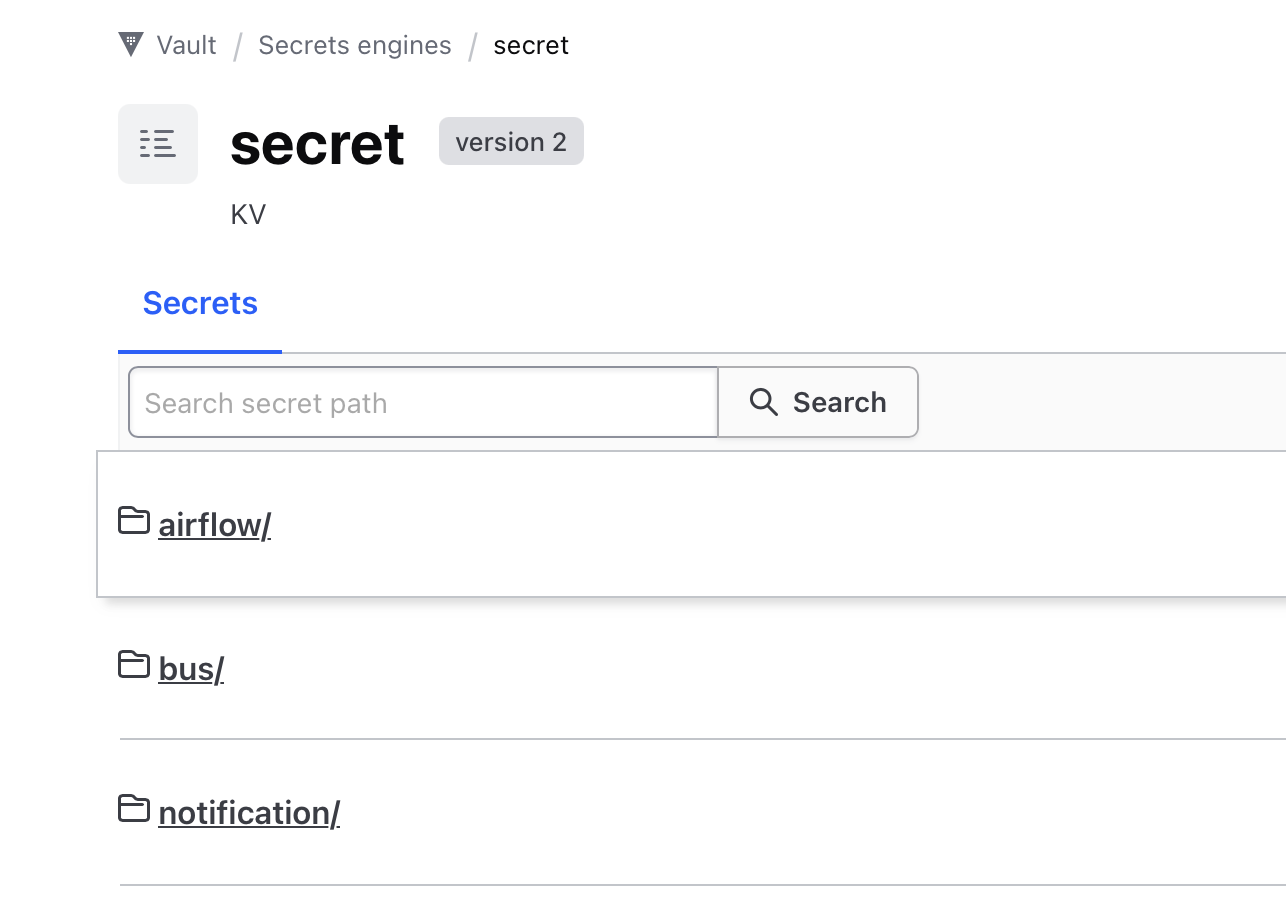
For an example API service, I store the .env file content in Vault:
vault kv put secret/example-api/env-file dotenv=@.env
For an example worker service:
vault kv put secret/example-worker/config-file config.json=@config.json
For an example admin app:
vault kv put secret/example-admin/config-file config=@config.yml
The ExternalSecret must match both the Vault path and property name.
For example:
- Vault path:
secret/example-api/env-file - Property:
dotenv - K8s Secret:
example-api-env-file - Key:
.env
Configure Vault Kubernetes auth
External Secrets Operator authenticates to Vault with its Kubernetes service account.
In my cluster, the service account is:
- namespace:
external-secrets - name:
external-secrets
Vault needs to trust the Kubernetes API for token review. For a new cluster, I
create a dedicated reviewer service account and bind it to
system:auth-delegator, which permits delegated authentication and authorization
checks, including TokenReview.
kubectl create namespace vault-auth --dry-run=client -o yaml | kubectl apply -f -
kubectl -n vault-auth create serviceaccount vault-auth
kubectl create clusterrolebinding vault-auth-tokenreview \
  --clusterrole=system:auth-delegator \
  --serviceaccount=vault-auth:vault-auth
Create vault-auth-token.yaml:
apiVersion: v1
kind: Secret
metadata:
  name: vault-auth-token
  namespace: vault-auth
  annotations:
    kubernetes.io/service-account.name: vault-auth
type: kubernetes.io/service-account-token
After creating the Secret, wait for the token controller to populate it before
exporting the reviewer JWT. Stop if the wait fails. Use the kubeconfig context
for the target cluster; --flatten also includes a CA referenced by file path:
kubectl apply -f vault-auth-token.yaml
kubectl -n vault-auth wait --for=jsonpath='{.data.token}' secret/vault-auth-token --timeout=60s
TOKEN_REVIEWER_JWT=$(kubectl -n vault-auth get secret vault-auth-token -o jsonpath='{.data.token}' | base64 -d)
kubectl config view --raw --minify --flatten -o jsonpath='{.clusters[0].cluster.certificate-authority-data}' | base64 -d > ca.crt
Configure Vault:
export VAULT_ADDR=https://vault.example.internal:8200
vault login

vault auth enable kubernetes

vault write auth/kubernetes/config \
  kubernetes_host="https://rke-api.example.internal:6443" \
  kubernetes_ca_cert=@ca.crt \
  token_reviewer_jwt="$TOKEN_REVIEWER_JWT"
If the Kubernetes auth mount already exists, I do not recreate it. I only update
auth/kubernetes/config with the new cluster API, CA, and reviewer JWT.
Since Vault 1.9, new Kubernetes auth mounts default to
disable_iss_validation=true: Kubernetes validates the issuer through
TokenReview. Older mounts may retain Vault-side issuer validation. Check the
existing mount before troubleshooting an issuer mismatch; omitting this option
does not mean Vault-side validation is enabled. This is separate from TLS
certificate verification. See Vault’s Kubernetes auth guidance.
The reviewer token is sensitive. It should not be committed to Git, and it should be rotated when the cluster or Vault auth configuration is rebuilt.
Create policies and roles
Vault policy controls which KV paths External Secrets Operator can read.
For an example API service:
vault policy write example-api - <<'EOF'
path "secret/data/example-api/*" {
  capabilities = ["read"]
}
EOF

vault write auth/kubernetes/role/external-secrets-example-api \
  bound_service_account_names=external-secrets \
  bound_service_account_namespaces=external-secrets \
  audience=https://kubernetes.default.svc.cluster.local \
  policies=example-api \
  ttl=1h
For an example worker service:
vault policy write example-worker - <<'EOF'
path "secret/data/example-worker/*" {
  capabilities = ["read"]
}
EOF

vault write auth/kubernetes/role/external-secrets-example-worker \
  bound_service_account_names=external-secrets \
  bound_service_account_namespaces=external-secrets \
  audience=https://kubernetes.default.svc.cluster.local \
  policies=example-worker \
  ttl=1h
For an example admin app:
vault policy write example-admin - <<'EOF'
path "secret/data/example-admin/*" {
  capabilities = ["read"]
}
EOF

vault write auth/kubernetes/role/external-secrets-example-admin \
  bound_service_account_names=external-secrets \
  bound_service_account_namespaces=external-secrets \
  audience=https://kubernetes.default.svc.cluster.local \
  policies=example-admin \
  ttl=1h
The role’s audience must match the JWT requested by ESO. The Store below
sets serviceAccountRef.audiences to the same value; verify the audience for
your cluster. See ESO Kubernetes authentication.
The policy path uses secret/data/... because this is Vault KV v2.
The ExternalSecret remote key uses example-api/env-file, but the policy still
needs the KV v2 API path.
Create ClusterSecretStore
For the example API service, the ClusterSecretStore points to Vault.
Before applying it, I put the internal CA public certificate in a ConfigMap.
kubectl -n external-secrets create configmap vault-ca \
  --from-file=ca.crt=./vault-ca.crt \
  --dry-run=client -o yaml | kubectl apply -f -
apiVersion: external-secrets.io/v1
kind: ClusterSecretStore
metadata:
  name: vault-example-api
spec:
  provider:
    vault:
      server: "https://vault.example.internal:8200"
      path: "secret"
      version: "v2"
      caProvider:
        type: ConfigMap
        name: vault-ca
        namespace: external-secrets
        key: ca.crt
      auth:
        kubernetes:
          mountPath: kubernetes
          role: external-secrets-example-api
          serviceAccountRef:
            name: external-secrets
            namespace: external-secrets
            audiences:
              - https://kubernetes.default.svc.cluster.local
The example above uses an internal hostname, HTTPS, and a CA ConfigMap named
vault-ca. I avoid plain HTTP for Vault because Kubernetes auth tokens and
secret values move across this connection. Vault should be served over HTTPS
with an internal CA, and ClusterSecretStore should trust that CA using
caProvider or caBundle.
The cluster CA in Vault auth verifies the Kubernetes API. The Vault CA in the Store verifies Vault. These serve different connections and must not be confused.
If I use an internal DNS name like vault.example.internal, the Vault
certificate must include that name in the SAN. If I use the IP directly, the
certificate must include that IP in the SAN.
Create ExternalSecret
After the store is ready, I create an ExternalSecret.
apiVersion: external-secrets.io/v1
kind: ExternalSecret
metadata:
  name: example-api-env-file
  namespace: example-api
spec:
  refreshInterval: 2m
  secretStoreRef:
    name: vault-example-api
    kind: ClusterSecretStore
  target:
    name: example-api-env-file
    creationPolicy: Owner
  data:
    - secretKey: .env
      remoteRef:
        key: example-api/env-file
        property: dotenv
This tells External Secrets Operator:
- Read Vault path
secret/example-api/env-file. - Get the
dotenvproperty. - Create a Kubernetes Secret named
example-api-env-file. - Put the value into the
.envkey. - Refresh it every 2 minutes.
The Deployment can then mount or load example-api-env-file like a normal
Kubernetes Secret.
Validate
First check the operator.
kubectl -n external-secrets get pods
kubectl get crd | grep external-secrets
Then check the store.
kubectl get clustersecretstore
kubectl describe clustersecretstore vault-example-api
Check the generated Secret.
kubectl -n example-api get secret example-api-env-file
For the other apps, create matching Stores and ExternalSecrets using their roles, paths, and properties before checking the generated Secrets:
kubectl -n example-worker get secret example-worker-config-file
kubectl -n example-admin get secret example-admin-config-file
Also check the ExternalSecret’s Ready condition and whether the workload has loaded the expected configuration. If the store is not ready, I usually check Vault Kubernetes auth first.
kubectl -n external-secrets logs deploy/external-secrets --tail=120
Common issues:
- Vault auth points to an old Kubernetes API server.
- Vault has the wrong cluster CA.
- The token reviewer JWT is expired or from the wrong cluster.
- The Vault role is bound to the wrong service account or namespace.
- The Vault policy path uses the wrong KV v2 path.
- The expected property does not exist in Vault.
SOPS or Vault
For this design, I do not need SOPS as the main secret source.
Vault is the source of truth. External Secrets Operator only syncs values into Kubernetes. Git does not contain encrypted secret values; it contains manifests that describe where the values should come from.
SOPS would make sense if I wanted encrypted files in Git to become the source of truth, or if I needed an offline bootstrap path without Vault. For my current flow, adding SOPS would be another secret system to operate, not a direct improvement.