
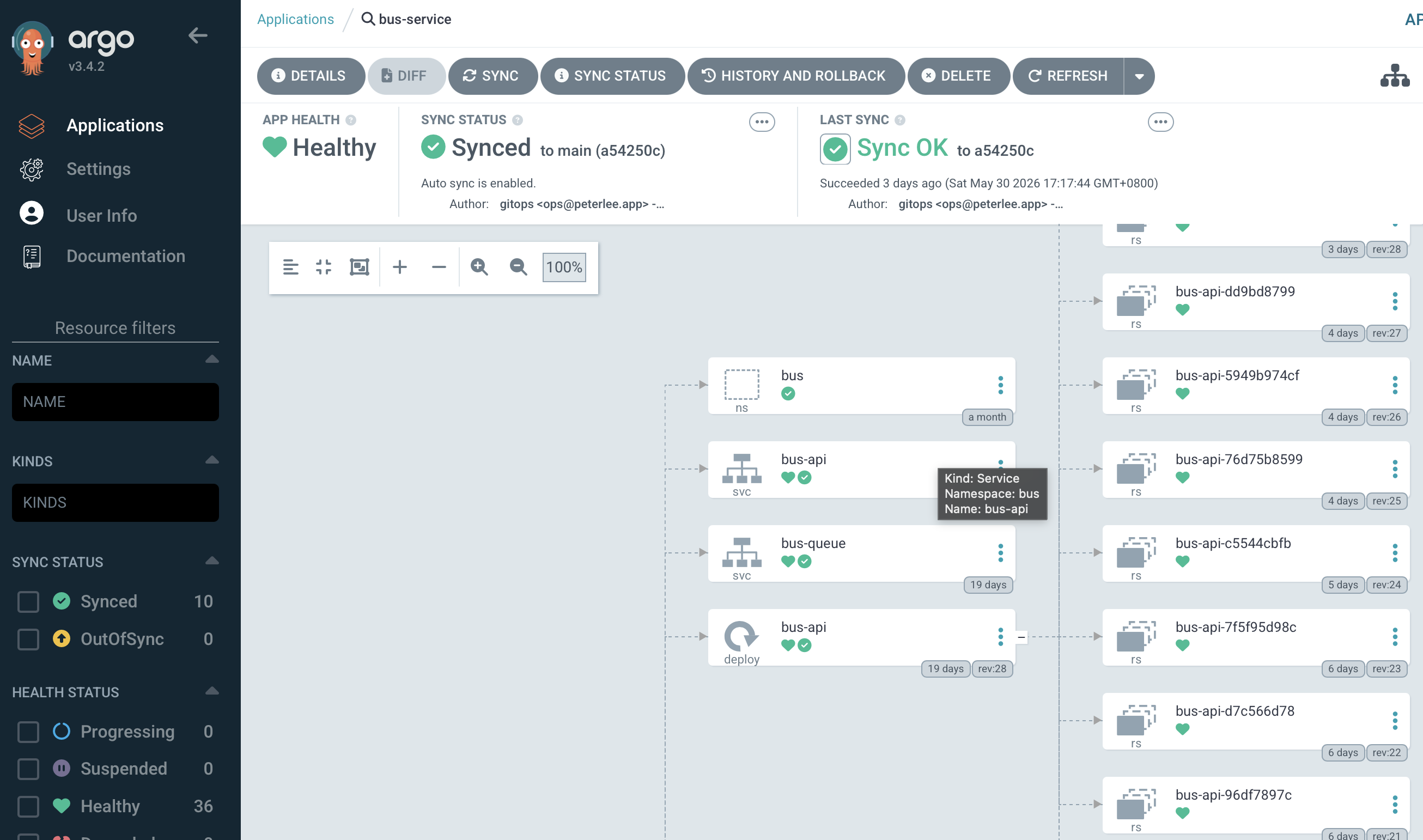
I use Argo CD to keep my home Kubernetes cluster in sync with Git.
Before this setup, most Kubernetes resources were applied manually. That is fine when the cluster is small, but after adding application workloads, Redis, Longhorn, Istio, monitoring, and ingress resources, I wanted the cluster to be rebuilt from Git as much as possible.
Argo CD now reconciles the manifests in Git, while Vault holds the secret values. A new RKE cluster still needs the bootstrap steps below before it can read the repository and retrieve those values.
Throughout this series, I use the same fictional example environment:
- Git repo:
ssh://[email protected]/platform/k8s-infra.git - Cluster API:
https://rke-api.example.internal:6443 - Vault:
https://vault.example.internal:8200 - OTEL backend:
http://otel.example.internal:4318 - Apps:
example-api,example-worker,example-admin - Public hosts:
api.example.com,worker.example.com
example-admin is kept as an internal app in these examples, so it has secrets
but no public Gateway route.
GitOps flow
The repository structure is like this:
clusters/root-app.yamlclusters/apps/example-api.yamlclusters/apps/redis.yamlclusters/apps/external-secrets.yamlclusters/apps/example-admin.yamlclusters/apps/example-worker.yamlclusters/apps/monitoring.yamlclusters/apps/infra.yamlapps/example-api/apps/redis/apps/example-admin/apps/example-worker/infra/
The important file is clusters/root-app.yaml.
I only apply this root Application manually. After that, Argo CD reads
clusters/apps and creates the child Applications.
apiVersion: argoproj.io/v1alpha1
kind: Application
metadata:
  name: k8s-infra-root
  namespace: argocd
spec:
  project: default
  source:
    repoURL: ssh://[email protected]/platform/k8s-infra.git
    targetRevision: main
    path: clusters/apps
  destination:
    server: https://kubernetes.default.svc
    namespace: argocd
  syncPolicy:
    automated:
      prune: true
      selfHeal: true
    syncOptions:
      - CreateNamespace=true
This is the app-of-apps pattern. Argo CD does not only deploy one app; it
deploys the Applications that deploy the real workloads.
Install Argo CD first
For a new cluster, Argo CD is still a manual step because it cannot reconcile
itself before it exists. I keep that bootstrap manifest in the same repository
and pin it to a reviewed release instead of downloading the moving stable
manifest during recovery.
kubectl kustomize bootstrap/argocd
kubectl apply --server-side --force-conflicts -k bootstrap/argocd
The first command renders the exact resources for review. The second installs
the pinned release, the argocd namespace, the server settings used by the
local ingress, and the verified SSH host keys for the private Git server.
For upgrades, change the pinned version in the kustomization, render it again, read the upgrade notes for that release, and then use the same apply process. Keeping the version in Git prevents the bootstrap date from silently deciding which release a cluster receives.
Separate Git host trust from repository credentials
Because my Git repository is private, Argo CD also needs SSH access to the repo. The values below are examples. Replace the host, repository path, and SSH key path with your own environment. If your Git server uses the normal SSH port, no custom port is needed.
kubectl -n argocd create secret generic k8s-infra-repo \
  --from-literal=type=git \
  --from-literal=url=ssh://[email protected]/platform/k8s-infra.git \
  --from-file=sshPrivateKey=/home/user/.ssh/k8s_infra \
  --dry-run=client -o yaml | kubectl apply -f -

kubectl -n argocd label secret k8s-infra-repo \
  argocd.argoproj.io/secret-type=repository --overwrite
I obtain and verify the Git server host-key fingerprints through a trusted
channel before committing the public keys to the bootstrap ConfigMap.
ssh-keyscan can collect keys, but the network response does not prove that a
key belongs to the intended server. The repository credential Secret is
different: it contains a private deploy key and stays outside Git.
After Argo CD can read Git, I apply the root Application.
kubectl apply -f clusters/root-app.yaml
I use automated sync with prune and selfHeal after I trust the repository
path. On a first migration, I would check the diff carefully before allowing
Argo CD to prune resources.
Sync order
One problem with GitOps is that not every resource can be applied at the same time. CRDs must exist before custom resources. Secret controllers must exist before generated secrets. Some applications should wait until shared infra is ready.
So I use Argo CD sync waves.
- wave
-60: Gateway API CRDs - wave
-50: Istio base - wave
-40: Istio control plane - wave
-30: Istio CNI and External Secrets Operator - wave
-10: Istio ambient ztunnel and Reloader - wave
0: Redis and Longhorn - wave
10: Airflow ExternalSecrets - wave
20: Airflow and monitoring - wave
30: Alloy, Istio PodMonitors, Kiali, and shared Istio ingress - wave
40: application workloads - wave
50: remaining platform support and access resources
For example, an API application waits until later:
apiVersion: argoproj.io/v1alpha1
kind: Application
metadata:
  name: example-api
  namespace: argocd
  annotations:
    argocd.argoproj.io/sync-wave: "40"
spec:
  project: default
  source:
    repoURL: ssh://[email protected]/platform/k8s-infra.git
    targetRevision: main
    path: apps/example-api
  destination:
    server: https://kubernetes.default.svc
    namespace: example-api
  syncPolicy:
    automated:
      prune: true
      selfHeal: true
    syncOptions:
      - CreateNamespace=true
Argo CD’s sync-wave documentation
explains how resources are ordered and how health affects progress. In an
app-of-apps layout, however, the parent Application must be able to assess the
health of child Application resources if their waves are meant to act as a
real gate. Different wave numbers alone do not establish that health gate. Argo CD’s
resource-health documentation
notes that the built-in health assessment for the Application CRD was removed;
an app-of-apps deployment that relies on child health may need an explicit
health customization.
Sync waves therefore establish the intended order, but they do not by themselves prove that every controller-generated object is ready. For example, an ExternalSecret resource can be applied before a workload while its target Kubernetes Secret is still being reconciled. The workload may fail once and recover later, or the deployment may need an explicit health check before the next wave is allowed to proceed.
What Argo CD manages
In my current cluster, Argo CD manages child Applications in these groups:
- platform CRDs and controllers: Gateway API, Istio, External Secrets, and Reloader
- stateful and observability services: Redis, Longhorn, monitoring, and Alloy
- applications: Airflow and the application workloads
- shared support resources: ingress, RBAC, secret mappings, and remote-access connectors
The result is that most of the cluster can be recreated from Git. The parts that are still manual are the bootstrap dependencies:
- RKE cluster is created.
- Argo CD is installed.
- Argo CD has the private repo SSH credential.
- Vault Kubernetes auth is configured.
- Required secret values already exist in Vault.
After those are ready, the root Application can take over.
Validate the first sync one layer at a time
I first check whether the child Applications exist and identify the earliest wave that is not healthy.
kubectl -n argocd get applications.argoproj.io
I then follow the dependency chain through the controllers instead of starting with the final application log.
kubectl get crd
kubectl -n external-secrets get pods
kubectl get clustersecretstores.external-secrets.io
kubectl -n istio-system get pods
kubectl -n longhorn-system get pods
kubectl -n monitoring get pods
Applications that use External Secrets need a separate check for secret delivery.
kubectl -n example-api get externalsecret
kubectl -n example-api get secret example-api-env-file
kubectl -n example-api get pods
The presence of an ExternalSecret does not prove that its target Secret has been
created. The presence of a Secret does not prove that a Pod has successfully loaded
its values. I check those three states separately.
I test a public service last, from the real client path.
curl https://api.example.com/health
A request sent only to the Service from inside the cluster verifies one segment of the path; it does not verify public DNS, TLS, ingress, or the external access policy.
Common problems
If Argo CD cannot clone the repository, I check the repository Secret and known hosts ConfigMap first.
kubectl -n argocd get secret k8s-infra-repo
kubectl -n argocd get configmap argocd-ssh-known-hosts-cm
If child Applications exist but the later ones stay unhealthy, I inspect the earliest failed wave. A missing CRD, a controller that is not ready, or a parent that cannot assess child health can make the later resources appear to fail together.
If an application cannot load its configuration, I check External Secrets and the Vault role and policy before changing its Deployment. An application error about missing configuration can originate earlier in the secret-delivery path.